Why this matters
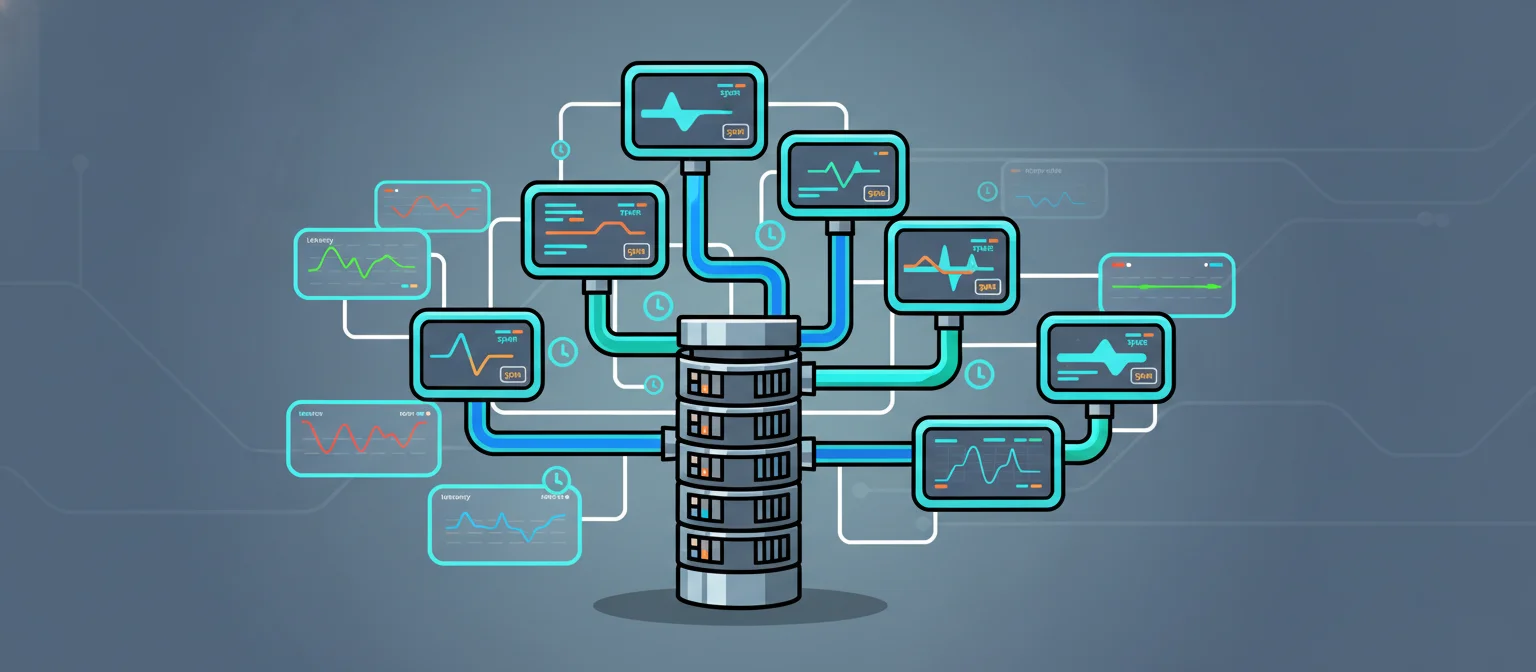
Grafana’s AI Observability public preview [3] and the gcx CLI launch [2] signal that the observability industry is treating agent sessions as first-class telemetry signals, not afterthoughts. The core problem: LangGraph agents [1] fan out across multiple nodes (planner, tool-caller, summarizer), and each node independently consumes tokens and wall-clock time. Without per-node span data, a latency regression or a cost spike is invisible until it shows up on an invoice or a user complaint. Traditional APM tools capture HTTP latency and CPU, but they have no concept of “this tool-call node consumed 1,200 prompt tokens and took 2.3 seconds.”
OpenInference is the semantic convention layer that maps LLM-specific attributes (token counts, model name, tool arguments) onto standard OTel spans. Wiring it into LangGraph lets you route the same OTLP payload to Grafana Tempo, SigNoz, or any commercial backend (Datadog, Honeycomb, Grafana Cloud) by swapping one exporter endpoint. This tutorial builds the full local stack: agent, instrumentation, and Tempo, so you can verify span shapes before committing to a vendor.
Prerequisites
- Python 3.11 or 3.12
- Docker and Docker Compose (for Grafana Tempo)
- An OpenAI API key set as
OPENAI_API_KEY - Basic familiarity with LangGraph node/edge concepts
Setup
1. Install Python dependencies
uv pip install langgraph langchain-openai opentelemetry-sdk opentelemetry-exporter-otlp-proto-grpc openinference-instrumentation-langchain openinference-semantic-conventions2. Start Grafana Tempo locally
Tempo accepts OTLP over gRPC on port 4317. The configuration below is the minimal all-in-one mode that stores traces on local disk and exposes a query API on port 3200.
# filename: tempo-config.yaml
server:
  http_listen_port: 3200

distributor:
  receivers:
    otlp:
      protocols:
        grpc:
          endpoint: 0.0.0.0:4317

storage:
  trace:
    backend: local
    local:
      path: /tmp/tempo/traces
    wal:
      path: /tmp/tempo/wal

compactor:
  compaction:
    block_retention: 1h
docker run -d \
--name tempo \
-p 4317:4317 \
-p 3200:3200 \
-v "$(pwd)/tempo-config.yaml:/etc/tempo.yaml" \
grafana/tempo:latest \
-config.file=/etc/tempo.yaml
sleep 5
docker ps --filter name=tempo --format 'table {{.Names}}\t{{.Status}}'3. Export your API key
export OPENAI_API_KEY="your-key-here"Step 1: Define the OTel tracer and span helpers
This module configures the OTLP gRPC exporter pointed at the local Tempo instance and exposes a get_tracer() helper. It also defines record_llm_span_attrs, which writes OpenInference semantic convention attributes onto a span so Grafana AI Observability (and any OTel-compatible backend) can parse token counts and model metadata.
# filename: otel_setup.py
import os
from opentelemetry import trace
from opentelemetry.sdk.trace import TracerProvider
from opentelemetry.sdk.trace.export import BatchSpanProcessor
from opentelemetry.exporter.otlp.proto.grpc.trace_exporter import OTLPSpanExporter
from opentelemetry.sdk.resources import Resource
from openinference.semconv.trace import SpanAttributes

TEMPO_ENDPOINT = os.environ.get("TEMPO_ENDPOINT", "http://localhost:4317")

_provider: TracerProvider | None = None


def init_tracer(service_name: str = "langgraph-agent") -> TracerProvider:
    global _provider
    if _provider is not None:
        return _provider

    resource = Resource.create({"service.name": service_name})
    exporter = OTLPSpanExporter(endpoint=TEMPO_ENDPOINT, insecure=True)
    processor = BatchSpanProcessor(exporter)

    _provider = TracerProvider(resource=resource)
    _provider.add_span_processor(processor)
    trace.set_tracer_provider(_provider)
    return _provider


def get_tracer(name: str = "langgraph-agent") -> trace.Tracer:
    init_tracer()
    return trace.get_tracer(name)


def record_llm_span_attrs(
    span: trace.Span,
    model: str,
    prompt_tokens: int,
    completion_tokens: int,
    node_name: str,
    cost_usd: float | None = None,
) -> None:
    """Write OpenInference LLM attributes onto an active span."""
    span.set_attribute(SpanAttributes.LLM_MODEL_NAME, model)
    span.set_attribute(SpanAttributes.LLM_TOKEN_COUNT_PROMPT, prompt_tokens)
    span.set_attribute(SpanAttributes.LLM_TOKEN_COUNT_COMPLETION, completion_tokens)
    span.set_attribute(SpanAttributes.LLM_TOKEN_COUNT_TOTAL, prompt_tokens + completion_tokens)
    span.set_attribute("agent.node_name", node_name)
    if cost_usd is not None:
        span.set_attribute("llm.cost_usd", cost_usd)
Step 2: Build the instrumented LangGraph agent
The agent has three nodes: planner, tool_caller, and summarizer. Each node opens its own child span under a root agent.run span, records token usage from the OpenAI response, and computes a simple cost estimate using gpt-4o-mini pricing ($0.15 per million prompt tokens, $0.60 per million completion tokens as of mid-2025).
The graph uses a tools list with one mock search tool so the tool-call span path is exercised without requiring a real search API.
# filename: agent.py
import os
import json
from typing import TypedDict, Annotated
from opentelemetry import trace
from langgraph.graph import StateGraph, END
from langchain_openai import ChatOpenAI
from langchain_core.messages import HumanMessage, AIMessage, ToolMessage
from langchain_core.tools import tool
from otel_setup import get_tracer, record_llm_span_attrs

MODEL = "gpt-4o-mini"
PROMPT_COST_PER_TOKEN = 0.15 / 1_000_000
COMPLETION_COST_PER_TOKEN = 0.60 / 1_000_000


@tool
def search_web(query: str) -> str:
    """Search the web for current information about a topic."""
    # Stub: returns a canned answer so no external API is needed.
    return f"Search results for '{query}': The answer is 42. (stub)"


TOOLS = [search_web]
TOOL_MAP = {t.name: t for t in TOOLS}


class AgentState(TypedDict):
    messages: list
    node_costs: Annotated[dict, lambda a, b: {**a, **b}]


def _cost(prompt_tokens: int, completion_tokens: int) -> float:
    return (
        prompt_tokens * PROMPT_COST_PER_TOKEN
        + completion_tokens * COMPLETION_COST_PER_TOKEN
    )


def planner_node(state: AgentState) -> AgentState:
    tracer = get_tracer()
    with tracer.start_as_current_span("node.planner") as span:
        llm = ChatOpenAI(model=MODEL).bind_tools(TOOLS)
        response = llm.invoke(state["messages"])
        usage = response.usage_metadata or {}
        prompt_tokens = usage.get("input_tokens", 0)
        completion_tokens = usage.get("output_tokens", 0)
        cost = _cost(prompt_tokens, completion_tokens)
        record_llm_span_attrs(
            span, MODEL, prompt_tokens, completion_tokens, "planner", cost
        )
        span.set_attribute("llm.has_tool_calls", bool(response.tool_calls))
        return {
            "messages": state["messages"] + [response],
            "node_costs": {"planner": cost},
        }


def tool_caller_node(state: AgentState) -> AgentState:
    tracer = get_tracer()
    last_msg = state["messages"][-1]
    tool_messages = []
    with tracer.start_as_current_span("node.tool_caller") as span:
        for tc in last_msg.tool_calls:
            span.set_attribute("tool.name", tc["name"])
            span.set_attribute("tool.args", json.dumps(tc["args"]))
            result = TOOL_MAP[tc["name"]].invoke(tc["args"])
            span.set_attribute("tool.result_length", len(str(result)))
            tool_messages.append(
                ToolMessage(content=str(result), tool_call_id=tc["id"])
            )
    return {
        "messages": state["messages"] + tool_messages,
        "node_costs": {"tool_caller": 0.0},
    }


def summarizer_node(state: AgentState) -> AgentState:
    tracer = get_tracer()
    with tracer.start_as_current_span("node.summarizer") as span:
        llm = ChatOpenAI(model=MODEL)
        response = llm.invoke(state["messages"])
        usage = response.usage_metadata or {}
        prompt_tokens = usage.get("input_tokens", 0)
        completion_tokens = usage.get("output_tokens", 0)
        cost = _cost(prompt_tokens, completion_tokens)
        record_llm_span_attrs(
            span, MODEL, prompt_tokens, completion_tokens, "summarizer", cost
        )
        return {
            "messages": state["messages"] + [response],
            "node_costs": {"summarizer": cost},
        }


def should_call_tools(state: AgentState) -> str:
    last = state["messages"][-1]
    if hasattr(last, "tool_calls") and last.tool_calls:
        return "tool_caller"
    return "summarizer"


def build_graph():
    g = StateGraph(AgentState)
    g.add_node("planner", planner_node)
    g.add_node("tool_caller", tool_caller_node)
    g.add_node("summarizer", summarizer_node)
    g.set_entry_point("planner")
    g.add_conditional_edges("planner", should_call_tools)
    g.add_edge("tool_caller", "summarizer")
    g.add_edge("summarizer", END)
    return g.compile()
Step 3: Wire the root span and run the agent
The entry point wraps the entire graph invocation in a root span named agent.run. Child spans created inside each node are automatically parented to it via OTel’s context propagation. After the run, it prints per-node costs so you can verify attribution without opening Grafana.
# filename: run_agent.py
import os
from opentelemetry import trace
from otel_setup import init_tracer, get_tracer
from agent import build_graph
from langchain_core.messages import HumanMessage


def main():
    init_tracer("langgraph-agent")
    tracer = get_tracer()
    graph = build_graph()

    question = "What is the current population of Tokyo? Search the web."
    initial_state = {
        "messages": [HumanMessage(content=question)],
        "node_costs": {},
    }

    with tracer.start_as_current_span("agent.run") as root_span:
        root_span.set_attribute("agent.question", question)
        result = graph.invoke(initial_state)
        total_cost = sum(result["node_costs"].values())
        root_span.set_attribute("agent.total_cost_usd", total_cost)
        root_span.set_attribute("agent.node_count", len(result["node_costs"]))

    print("=== Per-node cost attribution ===")
    for node, cost in result["node_costs"].items():
        print(f"  {node}: ${cost:.6f}")
    print(f"  TOTAL: ${total_cost:.6f}")
    print("=== Final answer ===")
    print(result["messages"][-1].content)


if __name__ == "__main__":
    main()
Step 4: Query Tempo to confirm spans landed
After the agent run, the batch span processor flushes spans to Tempo. The Tempo HTTP API exposes a search endpoint at /api/search. This block polls it and prints the trace IDs it finds for the langgraph-agent service.
import time
import urllib.request
import json

time.sleep(8)  # allow BatchSpanProcessor to flush

url = "http://localhost:3200/api/search?service.name=langgraph-agent&limit=5"
try:
    with urllib.request.urlopen(url, timeout=10) as resp:
        data = json.loads(resp.read())
    traces = data.get("traces", [])
    print(f"Traces found in Tempo: {len(traces)}")
    for t in traces:
        print(f"  traceID={t['traceID']}  rootSpan={t.get('rootSpanName', 'n/a')}")
except Exception as e:
    print(f"Tempo query error (is Docker running?): {e}")
Verify it works
Run the agent end-to-end. This block requires OPENAI_API_KEY to be set.
import subprocess, sys
result = subprocess.run(
    [sys.executable, "/workspace/run_agent.py"],
    capture_output=True, text=True, timeout=60
)
print(result.stdout)
if result.returncode != 0:
    print("STDERR:", result.stderr)
Expected console output looks like:
=== Per-node cost attribution ===
  planner: $0.000023
  tool_caller: $0.000000
  summarizer: $0.000031
  TOTAL: $0.000054
=== Final answer ===
Based on the search results...
To browse spans visually, open the Tempo query UI at http://localhost:3200 or connect a local Grafana instance (port 3000) with a Tempo data source pointed at http://tempo:3200. The same OTLP payload works unchanged with Grafana Cloud AI Observability [3] by replacing the exporter endpoint with your Grafana Cloud OTLP URL and adding an Authorization header via OTEL_EXPORTER_OTLP_HEADERS.
Troubleshooting
ModuleNotFoundError: No module named 'openinference' — The openinference-semantic-conventions package must be installed alongside openinference-instrumentation-langchain. Re-run the install block and confirm both appear in uv pip list.
Spans never appear in Tempo (Traces found: 0) — The BatchSpanProcessor buffers spans and flushes on a schedule. If the process exits before the flush, spans are lost. The run_agent.py entry point keeps the process alive long enough, but if you restructure it, call trace.get_tracer_provider().force_flush() before exit.
grpc._channel._InactiveRpcError: StatusCode.UNAVAILABLE — Tempo is not reachable on port 4317. Check docker ps to confirm the container is running and that the port mapping is 0.0.0.0:4317->4317/tcp. On Linux, localhost resolves correctly; on macOS with Docker Desktop, it should too.
usage_metadata is None on the response — Some older langchain-openai versions do not populate usage_metadata. Update to the latest release with uv pip install -U langchain-openai. The or {} guard in the node functions prevents a TypeError in the meantime.
Tool-call node span has no tool.name attribute — This means last_msg.tool_calls was empty when tool_caller_node ran. Verify the planner’s bind_tools(TOOLS) call is receiving the tools list and that the model returned a tool-call response (check span.set_attribute("llm.has_tool_calls", ...) in the planner span).
Cost numbers are zero for all nodes — usage_metadata keys differ between model providers. For OpenAI via langchain-openai, the keys are input_tokens and output_tokens. If you switch to Anthropic or another provider, inspect response.usage_metadata directly and adjust the key names in planner_node and summarizer_node.
Next steps
- Add evaluations as span events. After the summarizer node, run a lightweight LLM-as-judge check and attach the score as a span event with
span.add_event("eval.quality", {"score": 0.87}). Grafana AI Observability [3] surfaces these alongside token counts. - Propagate trace context across HTTP boundaries. If your LangGraph agent calls an external microservice, inject the W3C
traceparentheader usingopentelemetry.propagate.inject(headers)so the downstream service’s spans appear as children in the same trace. - Stream per-token latency. Switch
ChatOpenAIto streaming mode and record a span event for each chunk with a timestamp. This gives you time-to-first-token (TTFT) as a derived metric without any additional instrumentation library. - Export to Grafana Cloud. Replace
OTLPSpanExporter(endpoint="http://localhost:4317", insecure=True)with your Grafana Cloud OTLP endpoint and setOTEL_EXPORTER_OTLP_HEADERS=Authorization=Basic <base64-token>. The span schema is identical; only the destination changes [3].
FAQ
How do I attribute LLM costs to individual LangGraph nodes?
Each node opens a child span under a root agent.run span and records OpenInference semantic convention attributes including token counts and model name. The record_llm_span_attrs helper computes cost from token counts using per-token pricing, then writes it as an llm.cost_usd attribute on the span. Grafana Tempo and other OTel backends can then aggregate costs by node name.
What is OpenInference and why does it matter for LangGraph?
OpenInference is a semantic convention layer that maps LLM-specific attributes like token counts, model name, and tool arguments onto standard OTel spans. It lets you route the same OTLP payload to any backend (Grafana Tempo, SigNoz, Datadog, Honeycomb) by changing only the exporter endpoint, without rewriting instrumentation code.
How do I verify spans are reaching Tempo before querying visually?
After the agent run, call the Tempo HTTP API at /api/search?service.name=langgraph-agent to list trace IDs. The BatchSpanProcessor buffers spans and flushes on a schedule, so allow 8 seconds after the run completes. If spans do not appear, check that the Tempo container is running on port 4317 and call trace.get_tracer_provider().force_flush() before process exit.
What happens if usage_metadata is None on the LLM response?
Older versions of langchain-openai do not populate usage_metadata. Update to the latest release with uv pip install -U langchain-openai. The node functions use or {} to guard against TypeError, so token counts default to zero until the package is updated.
Can I send these spans to Grafana Cloud instead of local Tempo?
Yes. Replace the OTLPSpanExporter endpoint with your Grafana Cloud OTLP URL and set the OTEL_EXPORTER_OTLP_HEADERS environment variable to include an Authorization header with your base64-encoded token. The span schema is identical; only the destination changes.